Bring your own telecom account (Telnyx)
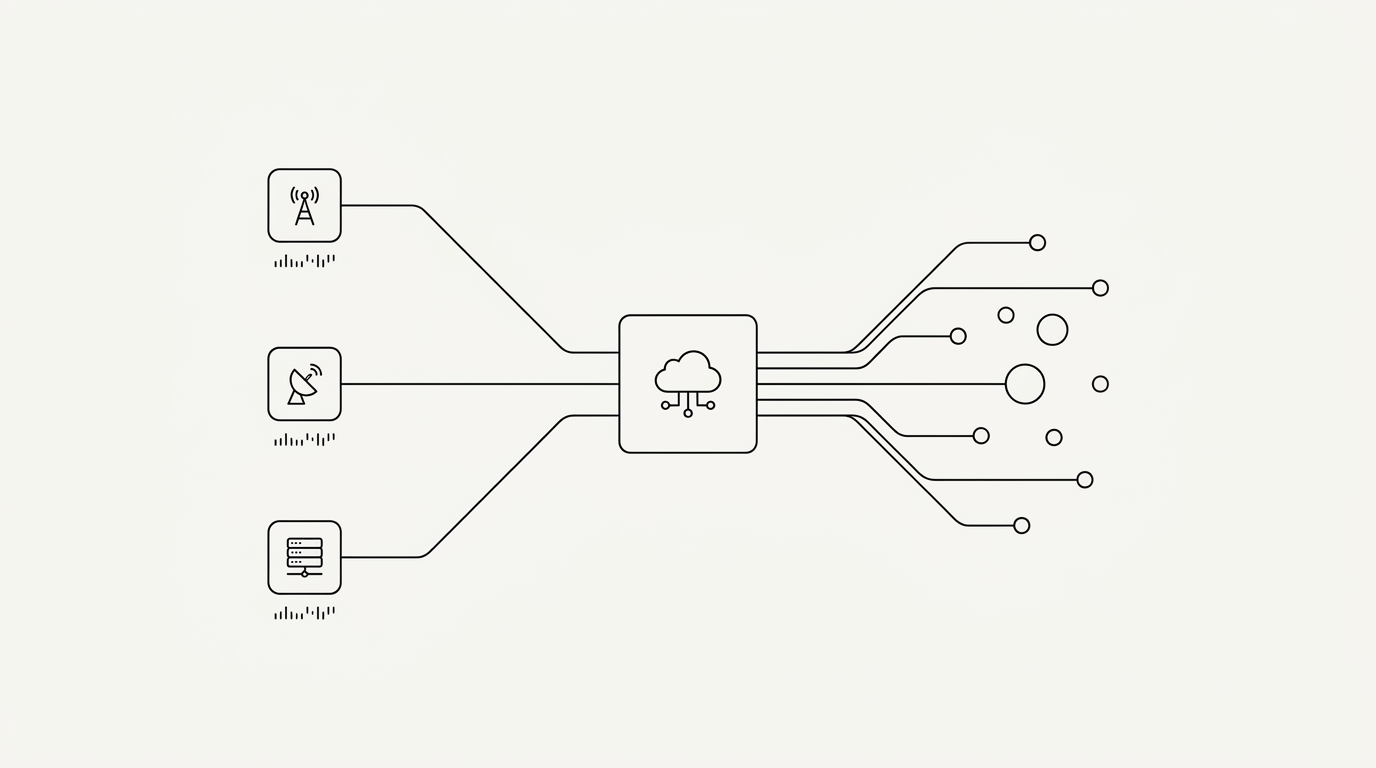
- The bring-your-own-telecom model separates infrastructure (Telnyx) from team software — you pay telecom at cost, no reseller markup.
- Telnyx bills pay-as-you-go, with no fixed monthly fee, directly on your account.
- Your number lives on YOUR account, in your name: you can even switch provider without losing it.
Bring-your-own-telecom (BYO) means you connect your own account with a telecom infrastructure provider — Telnyx — and a team application plugs in on top. You pay calls and texts directly to Telnyx, at its rate, with no reseller markup.
It's the opposite of the classic model. An all-in-one app (OpenPhone, RingCentral, Aircall) buys telecom wholesale, adds its margin, and resells the bundle in a per-seat price. You never see the real cost, and your number stays locked with them. BYO breaks that pattern: infrastructure and software become two separate purchases again.
Why separate infrastructure from software?
Because you stop paying twice. With a per-seat app, telecom is buried inside the subscription, with an invisible markup. In BYO, you pay for software on one side (a per-team price) and telecom on the other (your provider's real cost). Every line of your bill becomes readable.
The bring-your-own-telecom model separates two purchases that classic apps bundle: infrastructure (minutes, texts, numbers, paid to Telnyx) and team software (a fixed subscription). The result: no reseller markup on telecom, and a fully traceable bill.
The second gain is ownership. Your number and telecom data live on your provider account, not an editor's. If you change your mind, you unplug the app and keep your number — that's the principle of staying in control of your telephony, which no all-in-one solution offers.
Why Relay works with Telnyx
Relay works with Telnyx only. You open your own Telnyx account, in your company's name, and Relay is the software that plugs in on top. Telnyx bills pay-as-you-go with no fixed monthly fee, and calls, texts and numbers are billed to you directly by Telnyx.
- Account in your name: the Telnyx account belongs to your company, not to Relay.
- Pay-as-you-go: no fixed monthly subscription, you pay for what you use.
- Canadian numbers: you pick or port your number on your account.
- A2P registration: it happens on your Telnyx account, in your name.
Telecom rates depend on your region and volume: check Telnyx's public rate card before pricing your case.
Relay is built on Telnyx: an account opened in your name, pay-as-you-go billing with no fixed monthly fee, and team software on top. Telecom stays between you and Telnyx, Relay does not sit in the middle of the bill.
What does it really cost, for a team?
For a 10-person team at average usage, Relay software costs $57/month plus tax (Business plan, 8 seats included + 2 extra seats at $5). Telecom adds on at cost, billed by Telnyx according to your volume.
Compare with a per-seat app: at ~$19-40 per person, a 10-person team pays $190 to $400 of software per month — telecom included but with a markup. BYO flips the equation: a low software flat fee (see our per-team pricing), plus transparent telecom. You can estimate your exact total with the savings calculator.
Who BYO is NOT cheapest for: solo with very few calls, an all-in-one app can cost the same. BYO wins once you have a team or volume — and it also gives you ownership of your account.
Do I need to register my business SMS (A2P 10DLC)?
In most cases yes, and not only for the US. Texting a US recipient requires A2P registration without exception; texting a Canadian recipient from a number bought since March 2025 requires registration or identity verification. It is a carrier requirement, not a Relay quirk: it is done on your Telnyx account.
In practice, you register your brand and SMS use cases with your provider, who forwards to the carriers. The process usually takes a few days. Relay guides you step by step. Once set up, you text your clients from the team inbox, at real cost and with no quota.
How do you connect your Telnyx account to Relay?
In three steps, about five minutes. You create (or reuse) your Telnyx account, paste your Telnyx API key into Relay — encrypted with AES-256 and never exposed to the browser — then pick or buy your number. After that, your team calls and texts from the browser.
- Connect your account: paste your Telnyx API key. Encrypted at rest, never in clear.
- Pick your number: keep an existing number on your account, or buy one in two clicks.
- Call and text: from any tab. Your team shares the same number.
The key point: at no moment does Relay sit between you and Telnyx's billing. The telecom bill stays between you and Telnyx. Relay is only the software layer that makes that number usable as a team, with BYOK AI and a shared inbox.